
MADE WITH THIS COURSE · EXAMPLE 1 OF 2
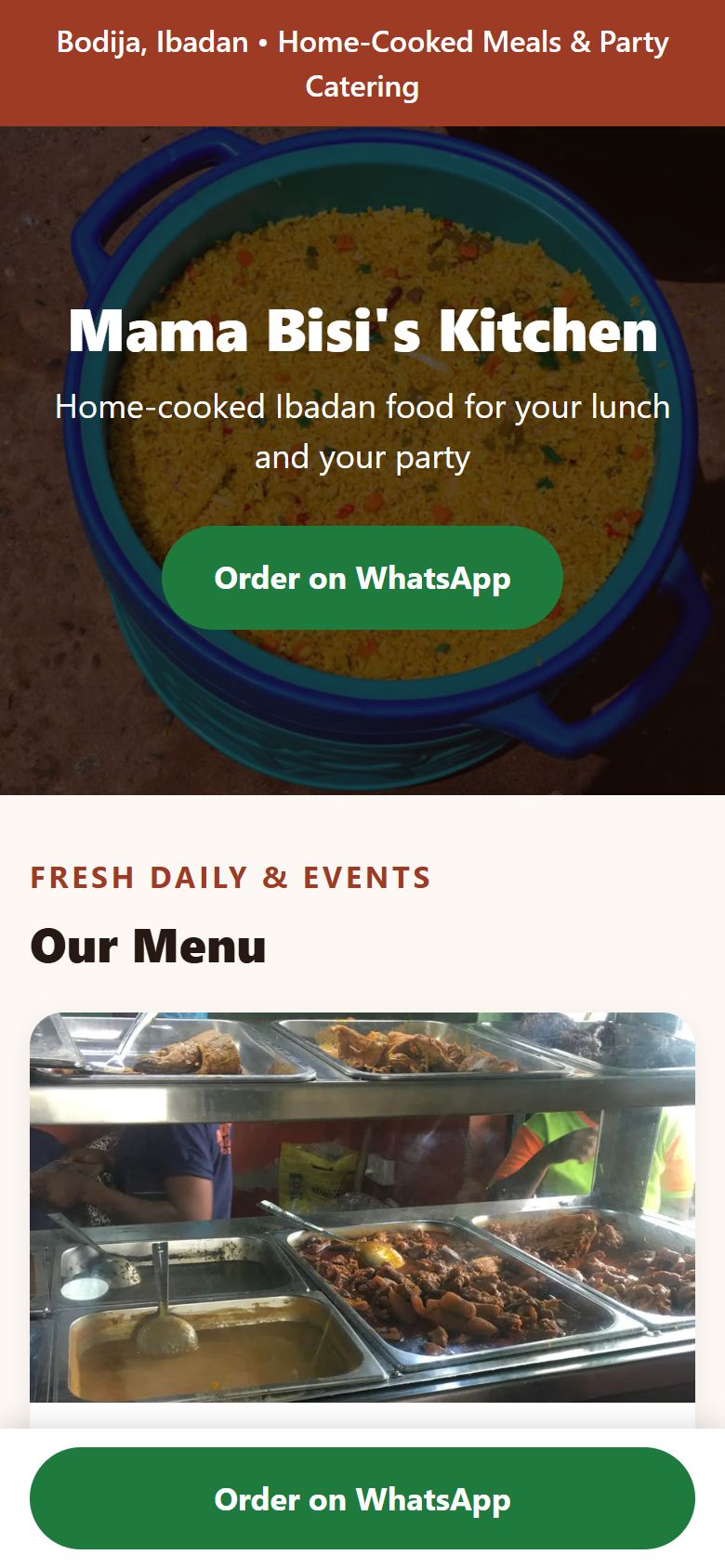
Mama Bisi's Kitchen
Canteen in Ibadan · warm and homely, photo hero
A real page, made the way this course teaches. Open it on your phone.
MADE WITH THIS COURSE · EXAMPLE 2 OF 2
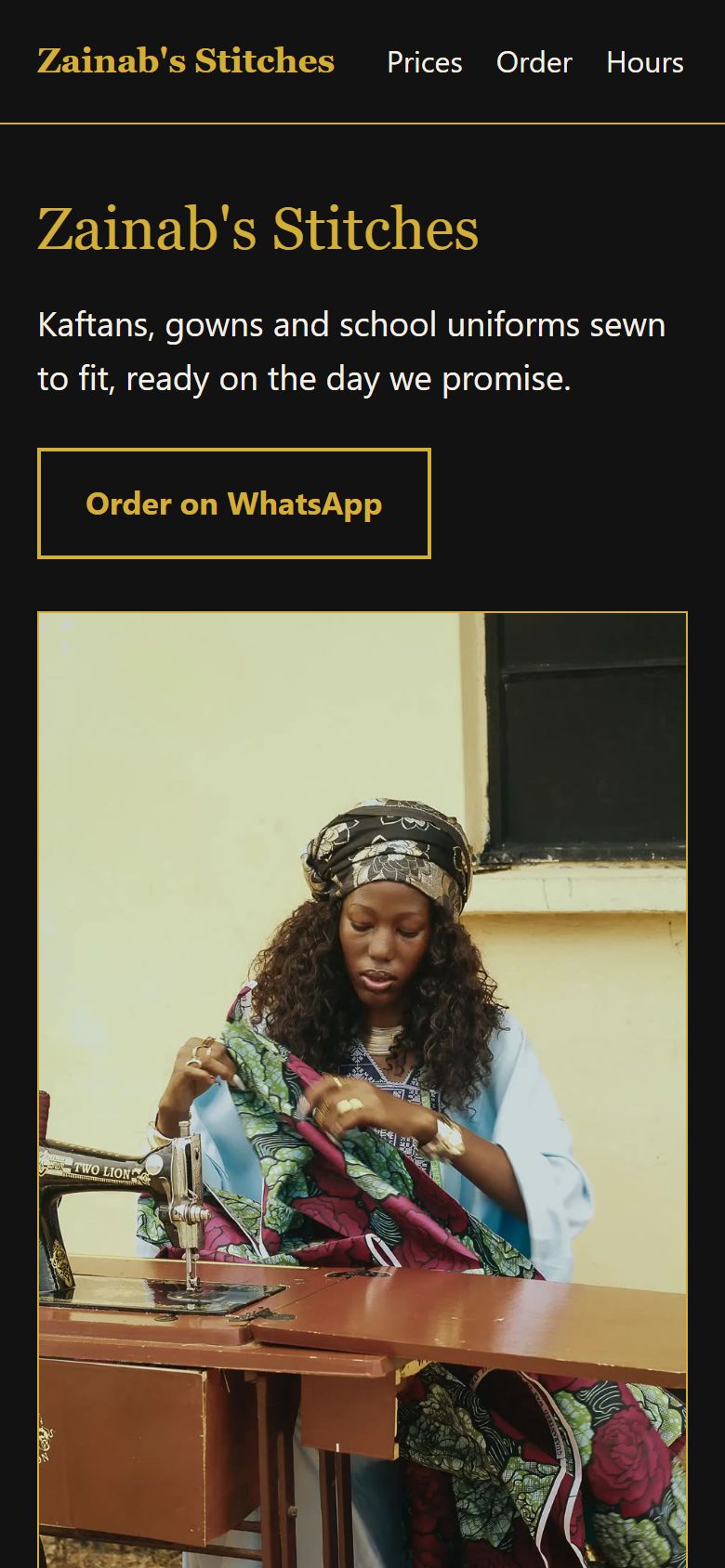
Zainab's Stitches
Tailor in Kaduna · dark and elegant, split hero
A real page, made the way this course teaches. Open it on your phone.
- Free to startOpen a free account and start. Any price is shown before you pay.
- Earned, not boughtCertificates are never sold. You pass a graded project, and anyone can verify it.
- Self-pacedShort lessons you take at your own pace. Your progress is saved.
- Built for real workLessons follow how the work is actually done and paid for, and end in a project you can show.
What you'll learn
- Planning a one-page small-business website
- Collecting and confirming a client brief
- Using Google Search AI Mode on Android and iPhone
- Prompting an AI for one complete HTML file
- WhatsApp order buttons and tap-to-call links
- Reading and safely editing basic HTML
- Publishing with GitHub Pages from a phone
- Mobile testing and precise AI follow-up prompts
- Shrinking photos for mobile data and writing alt text
- Link previews, Google Business Profile and sharing
- Privacy and honesty on a public web page
- Handing over, account ownership and pricing website work
About this course
A hands-on beginner course that follows Kemi Adeyemi in Bodija, Ibadan, as she builds a one-page website for her aunt's canteen and party caterer, Mama Bisi's Kitchen, using only her Android phone, about 2 GB of data and free tools. You will learn what a one-page small-business website is and why a link beats a flyer; how to collect a client brief with ten questions and a written yes, so the AI never invents prices, reviews or delivery promises; how to use Google Search AI Mode on Android and iPhone, one thread per client; a reusable build prompt that returns one complete HTML file with a WhatsApp order button and a call link; just enough HTML reading to fix a price, a time or a phone number yourself; how to publish free with GitHub Pages from your phone's browser; a twelve-point check on two different phones and precise follow-up prompts; real photos shrunk for mobile data, with alt text and permission; sharing the link on WhatsApp, a counter card and Google Business Profile, with the privacy rules of a public page; and a handover note, account ownership and an example price list in naira. Tool facts sit in dated boxes checked on 18 November 2026, because Google and GitHub move buttons and the method does not. The course does not need a laptop, a paid AI plan or Google's Canvas feature. Every lesson has two quick checks. Free to learn.
Kemi Adeyemi is 22, lives in Bodija, Ibadan, and owns one thing that matters for this course: an Android phone with a cracked corner and about 2 GB of data left this month. Her aunt, Mrs Bisi Ogunleye, runs Mama Bisi's Kitchen, a canteen that also cooks party jollof, fried rice and small chops for owambe and office events. Customers keep asking the same questions on WhatsApp: what do you sell, how much, where are you, are you open on Sunday. Kemi's plan is simple. Build her aunt one page that answers all of that, put it on a link, and let the link do the talking. She has no laptop, no paid AI plan and no money for a designer. By the end of this course you will have done what she did: turned a small-business brief into a mobile-friendly one-page website, written with Google Search AI Mode, published on a free link anyone can open.
Who it's for
Beginner-friendly. You can start from scratch: no prior experience is assumed.
The lessons 11 lessons, ending in a graded project
- 1What you will build, and the only things you need20 min
- 2The brief: get the facts before you touch the AI25 min
- 3Meet AI Mode on your phone20 min
- 4Speak design: name the style and the parts you want30 min
- 5The build prompt: one instruction, one complete file30 min
- 6Read the code without being a coder25 min
- 7Publish it: a free link with GitHub Pages35 min
- 8Check it on a real phone, then fix with follow-ups30 min
- 9Real photos, small files, honest pictures30 min
- 10Get it seen, keep it honest, keep it safe25 min
- 11Hand it over, charge for it, and your project30 min
- Project: A live one-page website for a real brief, built and published on your phoneGraded
THE PROJECT AND YOUR CERTIFICATE
A live one-page website for a real brief, built and published on your phone
One shared document link containing the live GitHub Pages link, the confirmed brief with the client's written yes, the build prompt and at least two fix prompts, the twelve-point check on two phones, the photo list, and the handover note with account ownership.
Certificates on Skillnaija are earned, not issued for attendance: you submit this project, an examiner grades the real work against a published rubric (you need 65% to pass), and passing issues a certificate anyone can verify. If you don't pass yet, you get written feedback and can try again.
- The live page works on a phone: it opens, fits the screen, its one main action and call link reach the right number, and its words are readable30%
- Every fact on the page comes from a confirmed brief with the client's written yes, nothing is invented, gaps were asked rather than guessed, and nothing private is shown30%
- The prompts and check show the method: one complete file asked for, precise follow-ups that say what was wrong and limit the change, and a twelve-point check on two phones with fixes recorded25%
- The photos and handover are done properly: own photos shrunk for data with plain alt text, and a handover note that says who owns the account and how changes are made15%
Frequently asked questions
Is Build and Publish Your First Website on Your Phone with Google Search AI Mode free?
Most Skillnaija courses can be started free with a free account: your first two courses are free to start, then one new course each month. Some courses are paid; the course page in the app shows whether Build and Publish Your First Website on Your Phone with Google Search AI Mode is one, and its price, before you pay. You can also buy any course on its own for twelve months, or open every course with the All-Access Pass. Certificates are never sold: you earn one by passing the course's project.
How long does Build and Publish Your First Website on Your Phone with Google Search AI Mode take to complete?
3 weeks · ~3 hrs/week. There are 11 lessons, about 5 hours of material in total. You learn at your own pace and your progress is saved.
Do I need any experience to start Build and Publish Your First Website on Your Phone with Google Search AI Mode?
Beginner-friendly. You can start from scratch — no prior experience is assumed.
What will I learn in Build and Publish Your First Website on Your Phone with Google Search AI Mode?
You will build practical skills in Planning a one-page small-business website, Collecting and confirming a client brief, Using Google Search AI Mode on Android and iPhone, Prompting an AI for one complete HTML file, WhatsApp order buttons and tap-to-call links, Reading and safely editing basic HTML, Publishing with GitHub Pages from a phone, Mobile testing and precise AI follow-up prompts, Shrinking photos for mobile data and writing alt text, Link previews, Google Business Profile and sharing, Privacy and honesty on a public web page, Handing over, account ownership and pricing website work. Every lesson is written in plain English, with examples drawn from how the work is actually done and paid for, in Nigeria and beyond.
Do I get a certificate for Build and Publish Your First Website on Your Phone with Google Search AI Mode?
Yes, but it has to be earned. You complete the course project — A live one-page website for a real brief, built and published on your phone and submit it for grading. Passing the project issues a verifiable certificate; finishing the lessons alone does not.
Ready to start Build and Publish Your First Website on Your Phone with Google Search AI Mode?
It is self-paced, and it ends with something you can show an employer.
Start learning free